Turning in your first CD Album Cover Image

Today you will be turning in your first CD Album Cover Image.

Step 1: Open your photo in lightroom, right lick and choose Edit in Photoshop. In Photoshop, click C to pull up the crop tool. (Pictured.)
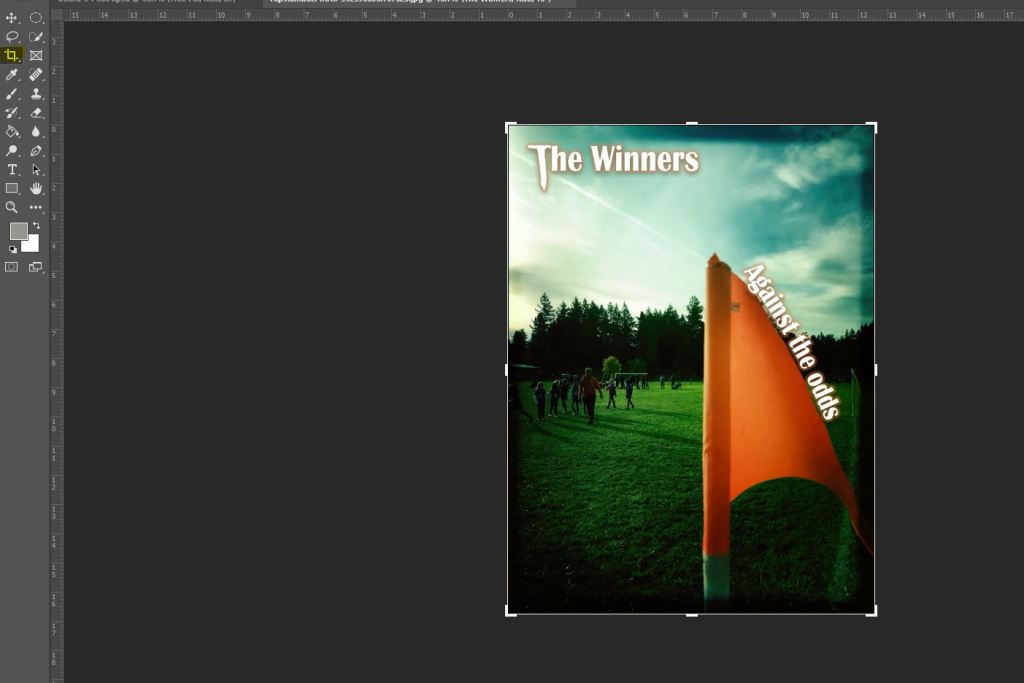
Step 2:

In the two empty fields, put in the numbers 1600 by 1600 (Pictured)
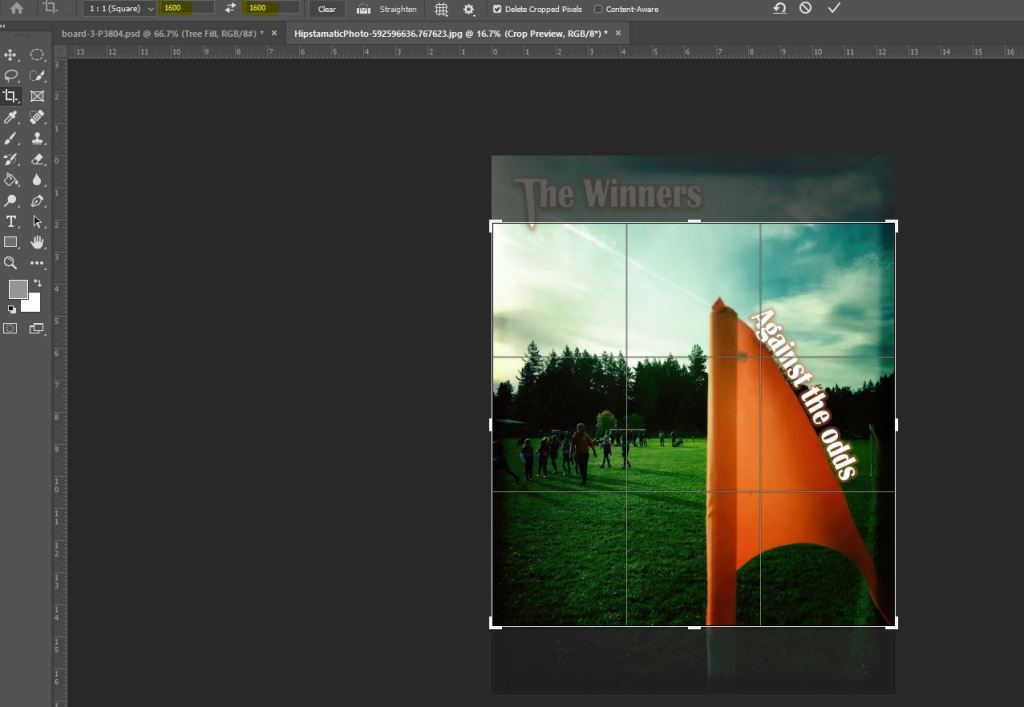
Step 3: You will see a square shaped crop over the image, use your mouse to select the area you want to select,
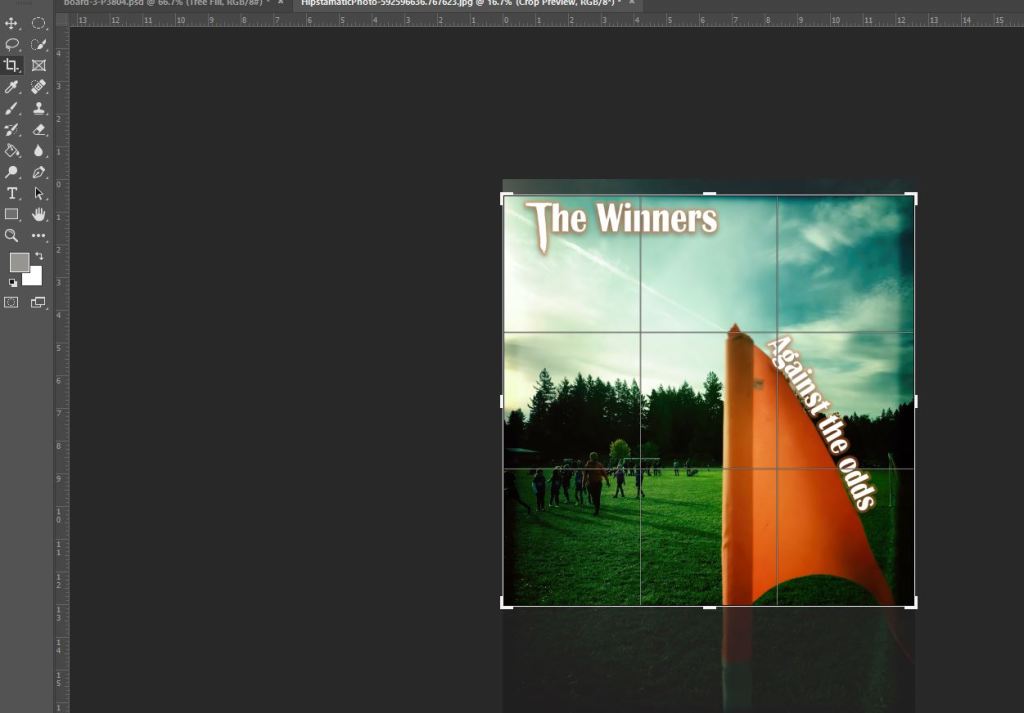
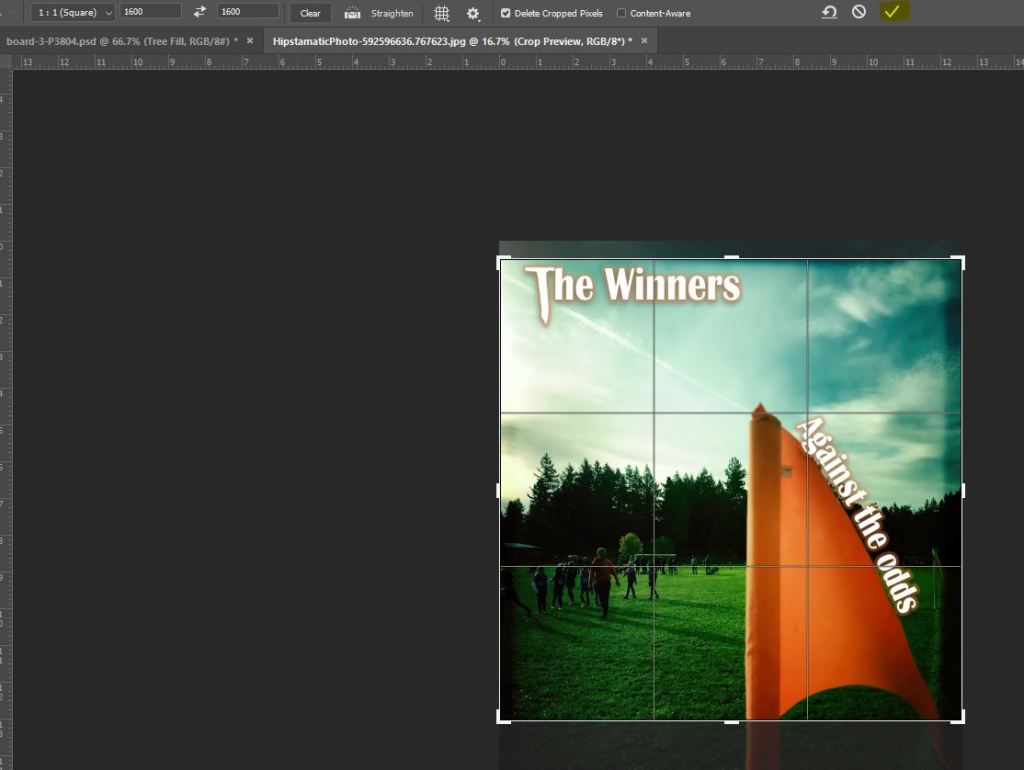
Step 4: when you are happy with the crop size and area, click on the check symbol. (pictured)
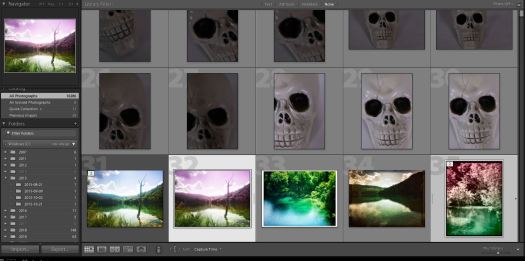
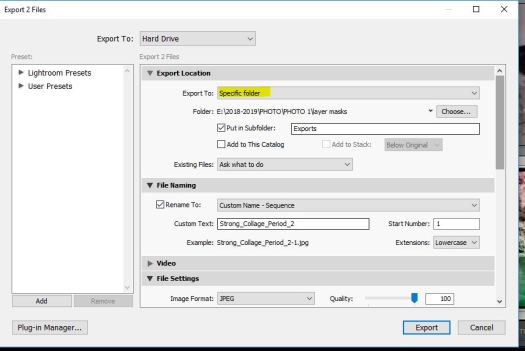
Step 5: Save the image, then in Lightroom, Export the image with these settings. Pay attention to the highlighted text.
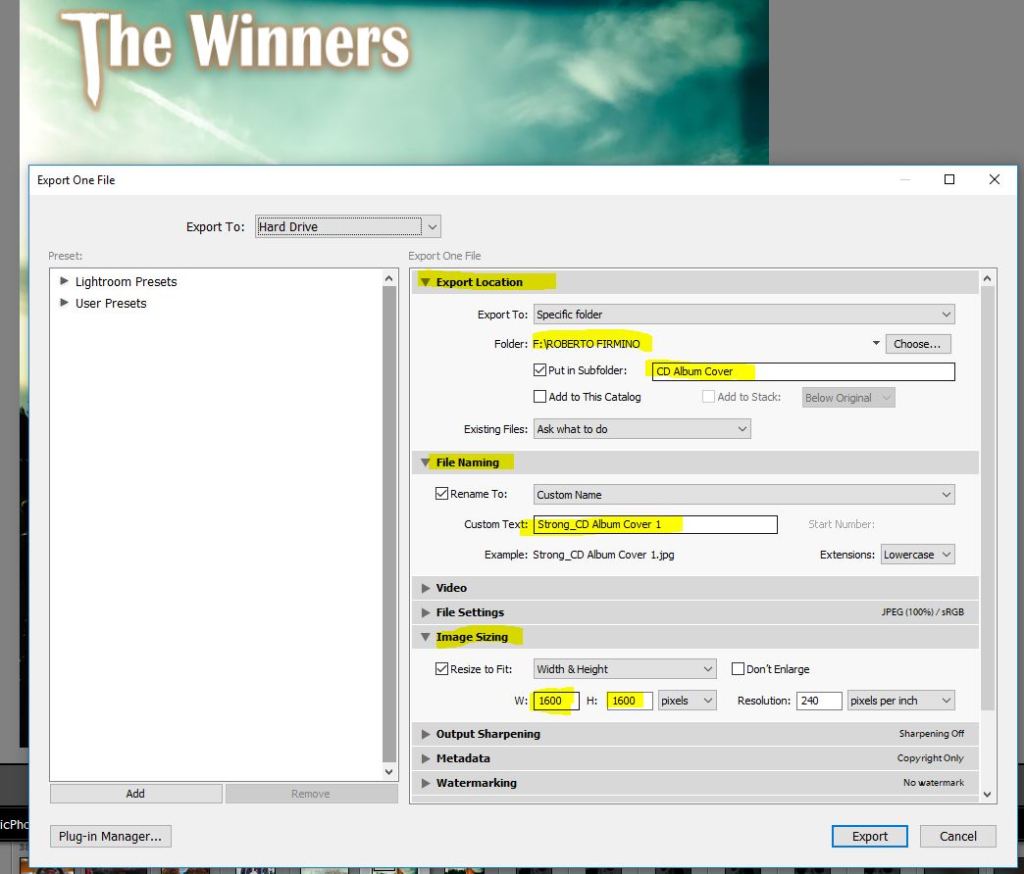
PLEASE ONLY TURN IN JPGS. A TIF FILE WILL NOT DISPLAY IN GOOGLE CLASSROOM.

Name the New Digital Arts Class!

We are in the process of creating a new Intro to Digital Arts class and we need your help in coming up with a name for the course.


We’ve come up with a few finalists and would love to hear your feedback on what we should name the course. Please involve the students in this decision making process.
Please forward this survey to anyone who you think would be interested in participating. 
You will need to be signed into the Evergreen Google System in order to submit.

https://bit.ly/2J0HswO


To Do List for 10/16

Learning Target:

  • I can name three different ways to manipulate text in Adobe Photoshop.
  • I can complete my first CD Album Cover photo using one of the techniques I learned this week.

Steps:

1.Shoot/Edit images for: CD Album Cover with TEXT

2. Shoot for CD Album Cover with Text:

  • First Photo is due Tomorrow.
  • 2nd photo is due on Monday.
  • Text needs to match the mood of the photograph.

3.Complete the exit ticket in Google Classroom.

Thursday:

Turn in first CD Album Cover Image.

To Do List for 10/15

Learning Target:

  • I can reflect on what pictures I took this weekend.
  • I can write a reflection on my complementary colors photos.
  • I understand the newest photo challenge and I can brainstorm three ideas and figure out which two I will use for the final two photos.

Steps:

1. Strong goes over a few text editing techniques for the new photo challenge: CD Album Cover with TEXT

2. Shoot for CD Album Cover with Text:

  • First Photo is due on Thursday.
  • 2nd photo is due on Monday.
  • Text needs to match the mood of the photograph.

Wednesday

Prep first photo for submission.

To Do List for 10/14

Learning Target:

  • I can reflect on what pictures I took this weekend.
  • I can write a reflection on my complementary colors photos.
  • I understand the newest photo challenge and I can brainstorm three ideas and figure out which two I will use for the final two photos.

Steps:

1. Read & Respond to Today’s Warm Up: What did you Shoot This Weekend?

2. Write a reflection for your Complementary Colors Photo Challenge. Reflection #4 is now up on Google Classroom. Copy the last two paragraphs and paste them to your Adobe Spark Page along with the two photos.

3. Strong goes over the new photo challenge: CD Album Cover with TEXT

Tuesday

Strong goes over a few text editing techniques.

To Do List for 10/10

Learning Target:

  • I understand the requirements for the new assignment, Complementary Colors
  • I know how to export two complementary colors photos .

Steps:

1. Shoot and edit photos for the new photo challenge, Complementary Colors.

2. Two photos are due TODAY before the end of the period

3. Check out how to export this assignment.

4. Write a reflection for your Complementary Colors Photo Challenge. Reflection #4 is now up on Google Classroom. Copy the last two paragraphs and paste them to your Adobe Spark Page along with the two photos.

Monday

Introduce next assignment, CD/Vinyl/album cover.

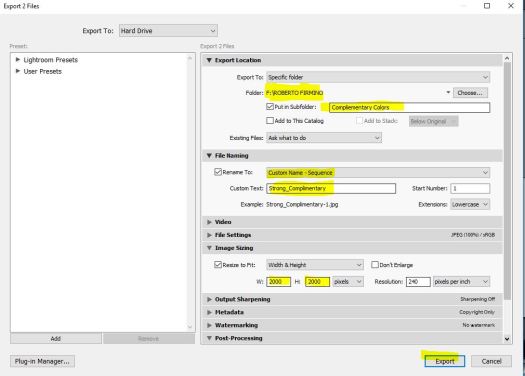
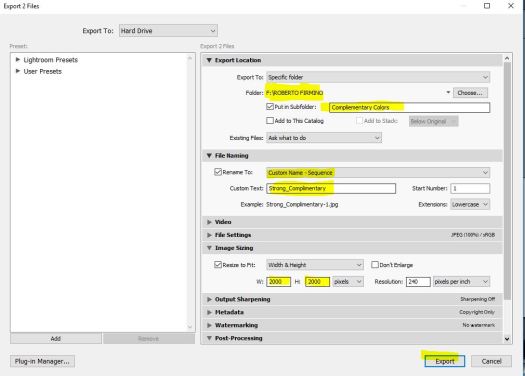
Exporting your Complimentary Colors Photos

Then hit export.

Browse to your folder using windows explorer. Find the jpegs and turn them both into Google Classroom. Please only turn in .jpgs into Google Classroom.

To Do List for 10/9

Learning Target:

  • I understand the requirements for the new assignment, Complementary Colors
  • I know how to enhance complementary colors in my photographs.

Steps:

1. Shoot and edit photos for the new photo challenge, Complementary Colors.

2. Two photos are due in tomorrow before the end of the period

3. Check out how to export this assignment.

4. Vote on Period 4 and Period 6 What Matters Photos.

5. Need more photos turned in to have a vote, Period 5!

4. Vote on period 4’s Slow Shutter Story Photos

Friday:

Turn in two final photos for Complimentary Colors

To Do List for 10/8

Learning Target:

  • I understand the requirements for the new assignment, Complementary Colors
  • I know how to enhance complementary colors in my photographs.

Steps:

1. Strong goes over how to enhance your photos for the new photo challenge, Complementary Colors.

2. Vote on Period 4 and Period 6 What Matters Photos.

3. Need more photos turned in to have a vote, Period 5!

4. Vote on period 4’s Slow Shutter Story Photos

Tomorrow:

Make/Edit Photos for Complimentary Colors

Design a site like this with WordPress.com
Get started