
For today’s activity, you will need access to five different photos of yours. Using layer masks, Photoshop and Lightroom, you will make a collage simliar to the one below.
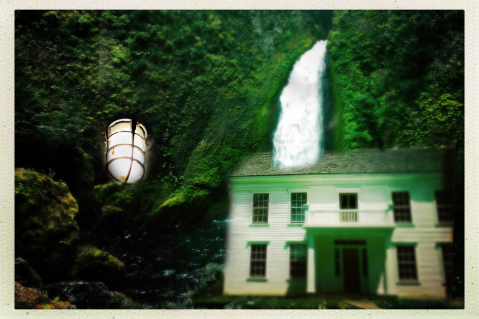
Start by opening Lightroom and selecting the five photos for your collage. One of them should have a person in it, for variety’s sake.
Select the five photos in Lightroom. Right click and choose, open as layers in Photoshop.
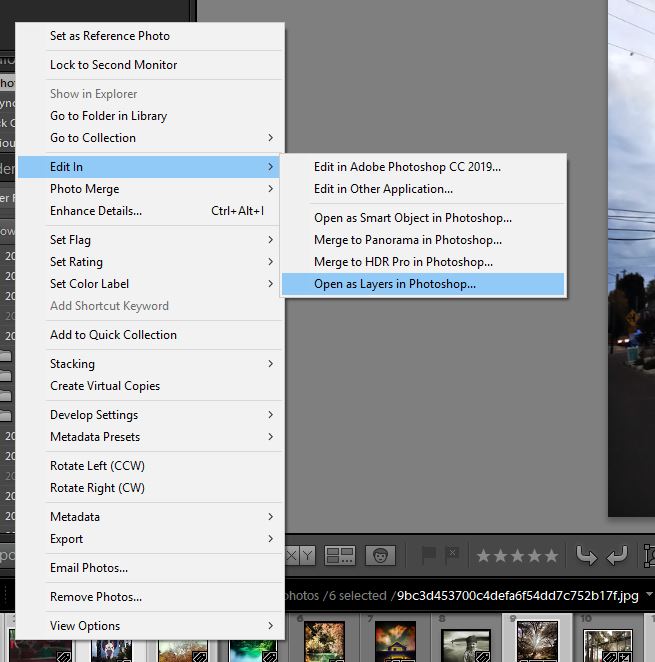
This will load all of the images as layers in Photoshop. Once you have them in Photoshop, that’s when Layer masks come in.
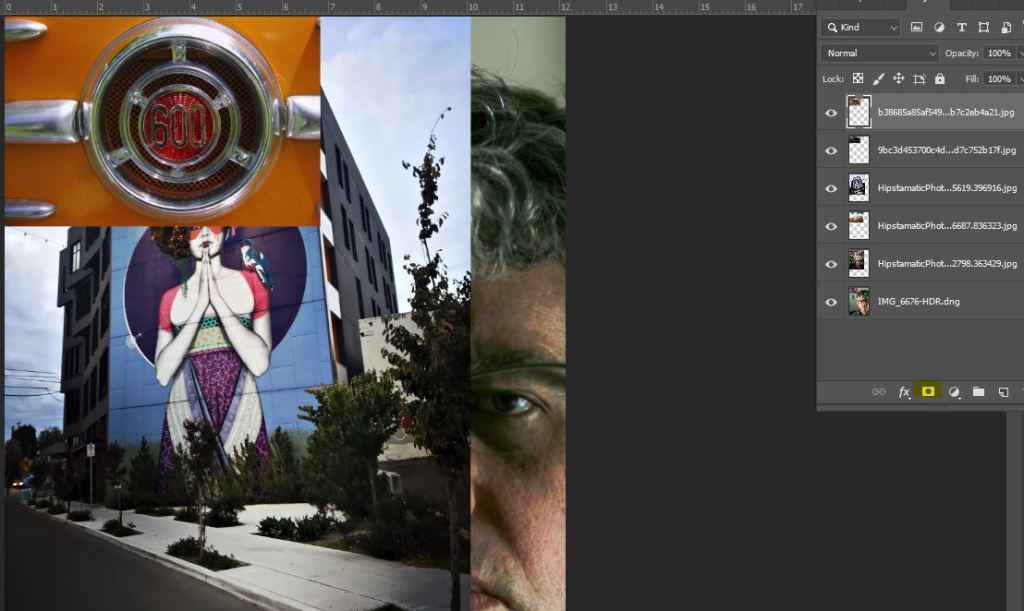
You see the layers opened up all in one image. The circle inside the square, the part that’s highlighted, that’s the layer mask.

If I paint black inside the layer mask, I can erase part of my scowling, scowling face.
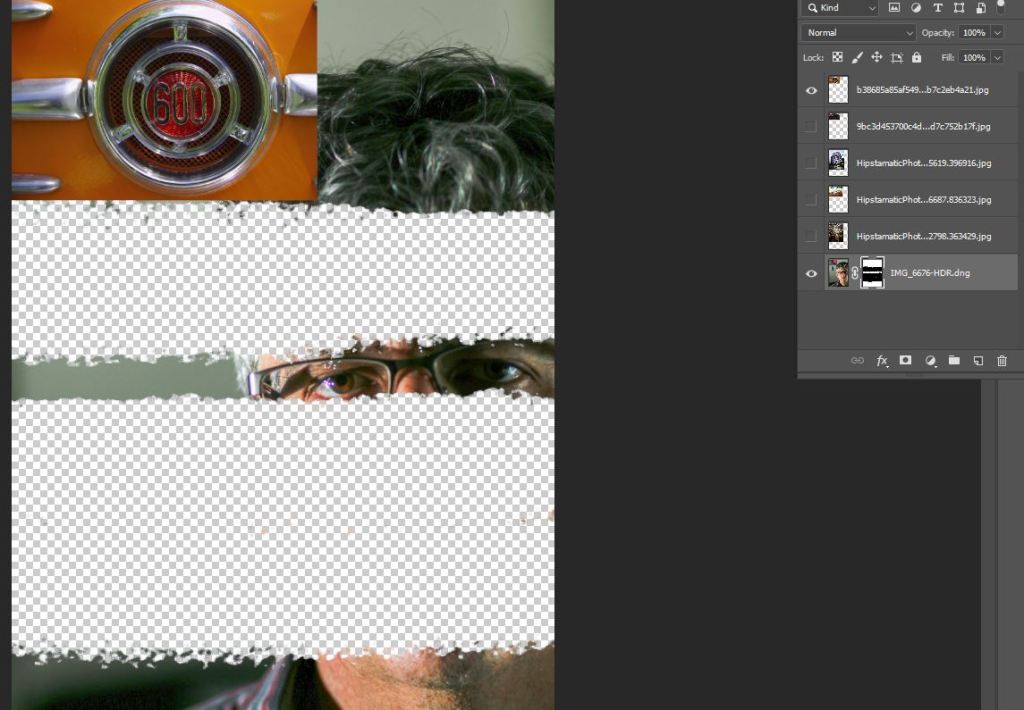
The layer mask shows black in the area of my face that is now erased. In this way i can erase certain parts of my image and make others pop up under the layers.
Continue to do this until you have your final collage consisting of five faces.
 Strong Photography 19-20