
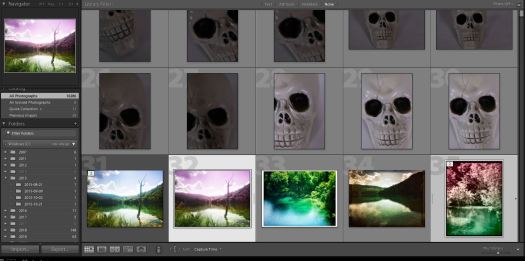
CTRL click on both photos you want to export. Press the Export Button 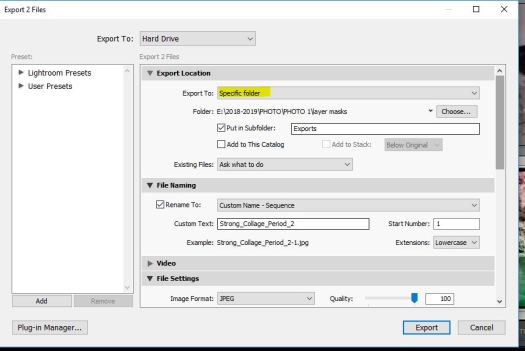
Step 2: Click on Specific Folder and choose your name folder on your User Storage 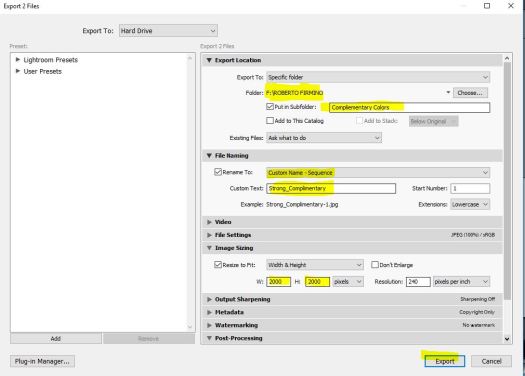
Step 3: Under File Naming, select Custom Name- Sequence. Put your last name and the word complementary. 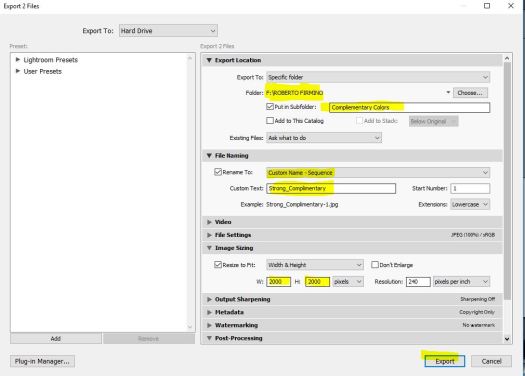
Step 4: Under Image sizing make sure the image is set to 2000 by 2000
Then hit export.
Browse to your folder using windows explorer. Find the jpegs and turn them both into Google Classroom. Please only turn in .jpgs into Google Classroom.

 Strong Photography 19-20