








Today’s Lesson: Lighting and it’s effect on Mood

All of these images were taken using the portable light with barn doors. I have two of these and they are battery powered, which means you can take them to places you normally wouldn’t be able to take a light to.

Notice how the light, its direction and it’s intensity changes in each photo by changing the angle, intensity and color of the light, we can make people feel the way we want them to.

This doesn’t mean that all the photos have to be dark or scary, on the contrary, you can use the light to enhance or brighten the mood, as seen the last two photos in the series.

Play with light when you do your self portrait. What side of yourself do you want to show, what kind of lighting set up do you want to use?

Use this video as a resource as to where to put the light source to get the look you want.

Written response: In your visual journal write me a paragraph where you describe the kind of lighting you want to have in your Self Portrait. What lighting style best describes you? Find 2-3 example online and include those photos in your visual journal post.
How to Rate Your Decisive Moment Photos

Step 1: Convert your HEIC photos to Jpegs.

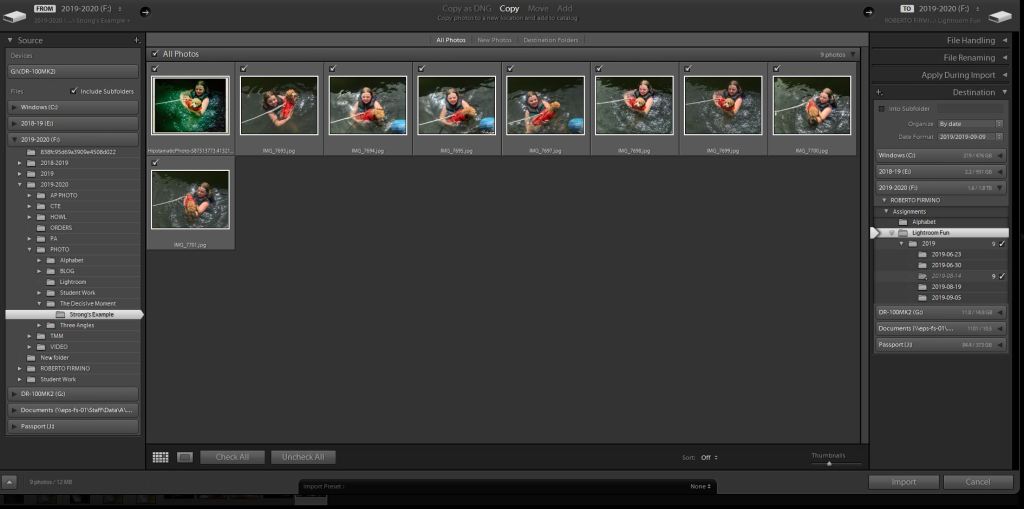
Step 2: Import all of your Jpegs into Lightroom.

Select the files you want to import and click on ‘Import’

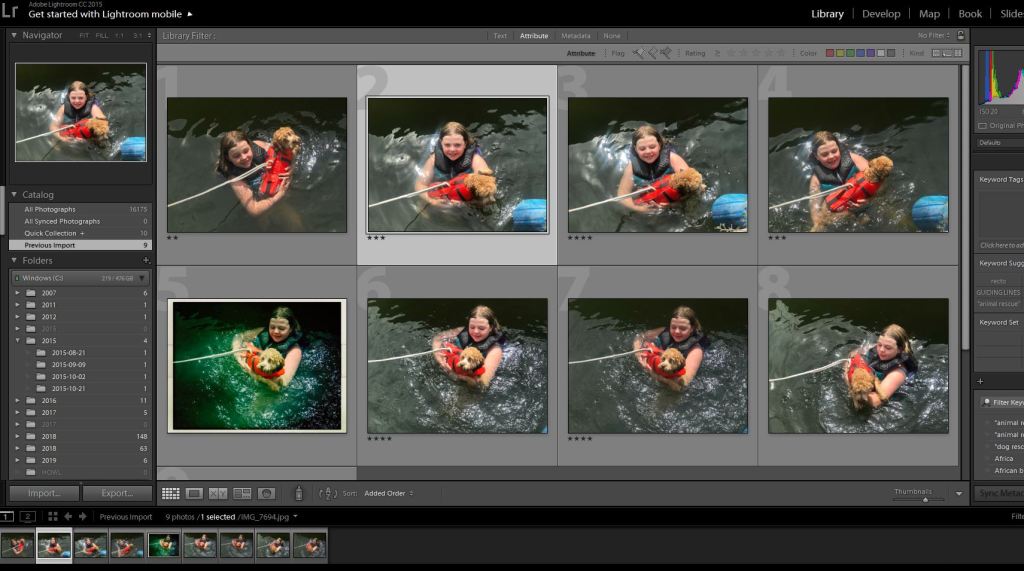
Step 3: In the Library Module rate your photos. You can do this by clicking on each photo, then rate it with the stars that appear on that screen. Use this system to find your three best images from the 10 you took this weekend. Give your best three a rating of 4 or 5 stars. When you are all done rating each photo, the screen will look like this.
Note how each photo has a rating underneath the image.

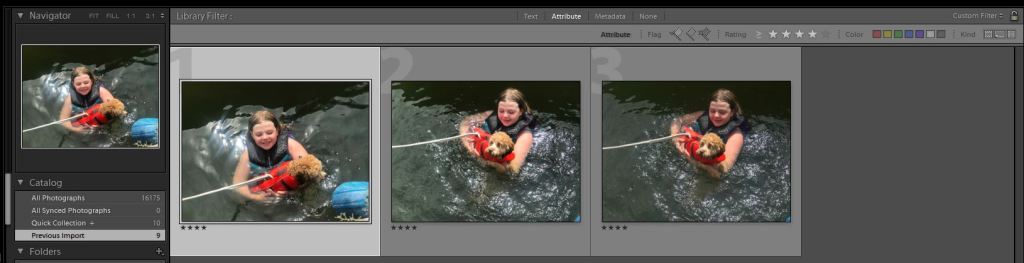
Step 4: On the top of the screen click ‘Attribute’ then click the 4 star rating. You will now see three photos

Notice how each photo has a rating of four stars.

These will be the three final photos you upload to your visual journal.

Edit the best picture of these three to get a final version.

Turn in the three final pictures to google classroom and upload it to your visual journal.

Design a site like this with WordPress.com
Get started