
That’s right. Its time to turn in another update to your visual journal. This grade will cover all content from October to November so far.
This includes: Two paragraphs for each reflection and each photo you have turned in. Please write in complete sentences and write whole paragraphs.
Please include a photo for each of these assignments with the two paragraph written reflections.
Assignments in October/November:
- Indoor/Outdoor Photo Challenge & Paragraphs.
- Complementary Colors Photo Challenge & Paragraphs.
- Cd Album Cover Photo Challenge & Paragraphs (2 photos)
- Critique for CD Album Cover
- Collage with Layer Masks
- Levitation Photo Challenge & Paragraphs
- Cloning Photo Challenge & Paragraphs
Here’s how to turn in an updated link to your Adobe Spark page. Everyone must do this to make sure the updated version is being turned in.
Click Share at the top of your Adobe Spark Interface.

Click Publish and Share Link.
Click on the Drop down menu for “Pick a Category”
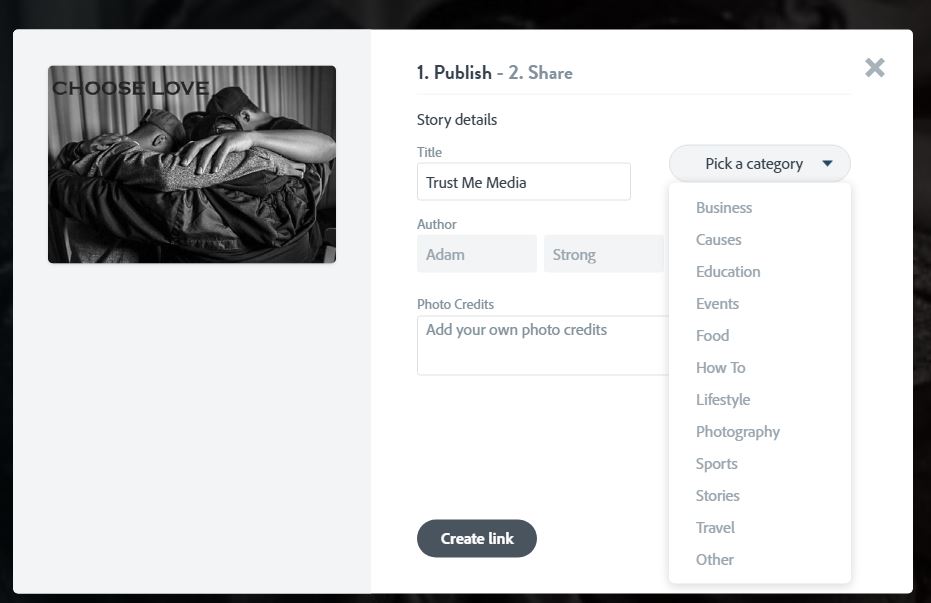
Choose Education
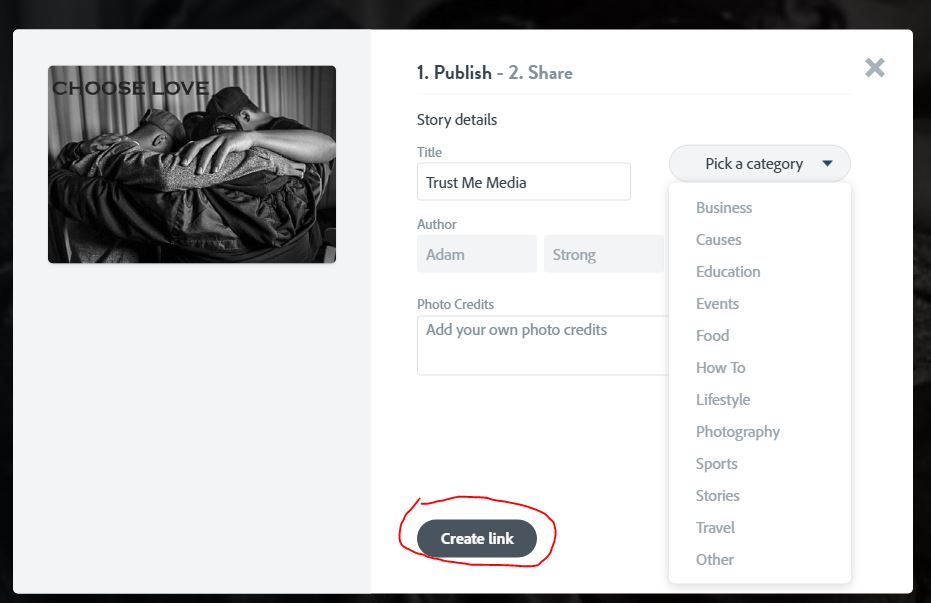
Click on Create LInk
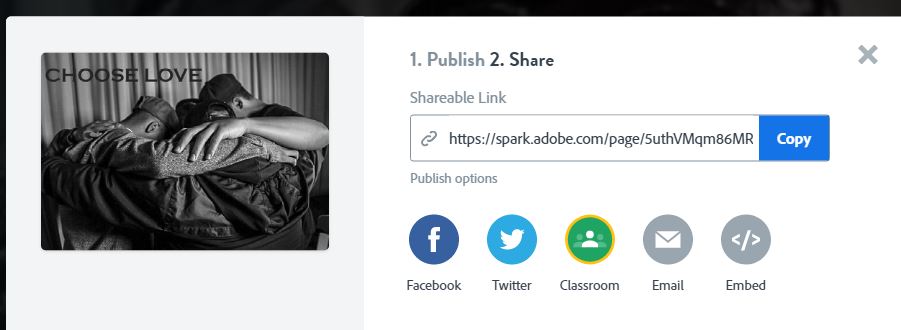
Click Copy.
Paste the link into Classroom. Or click on Classroom and see if you can turn it in that way.
 Strong Photography 19-20