

Today’s Warm Up: CD Album Cover Critique

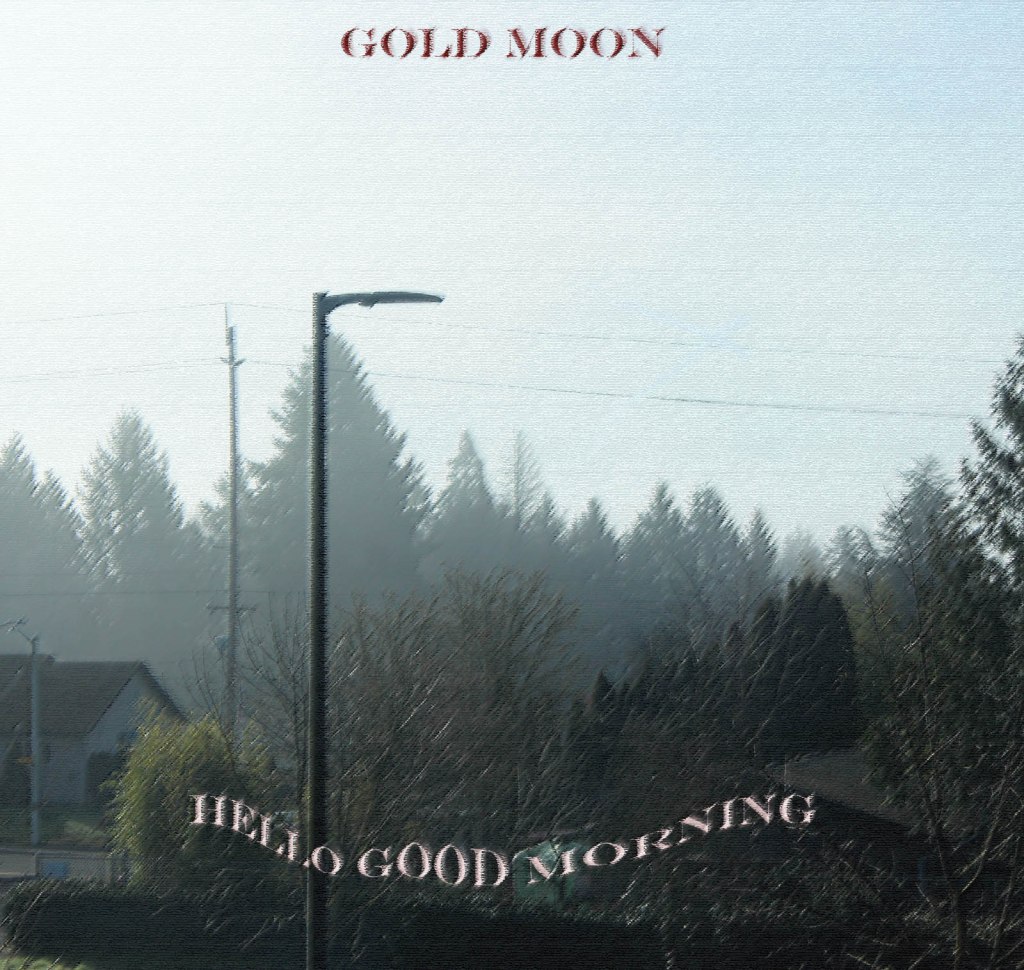
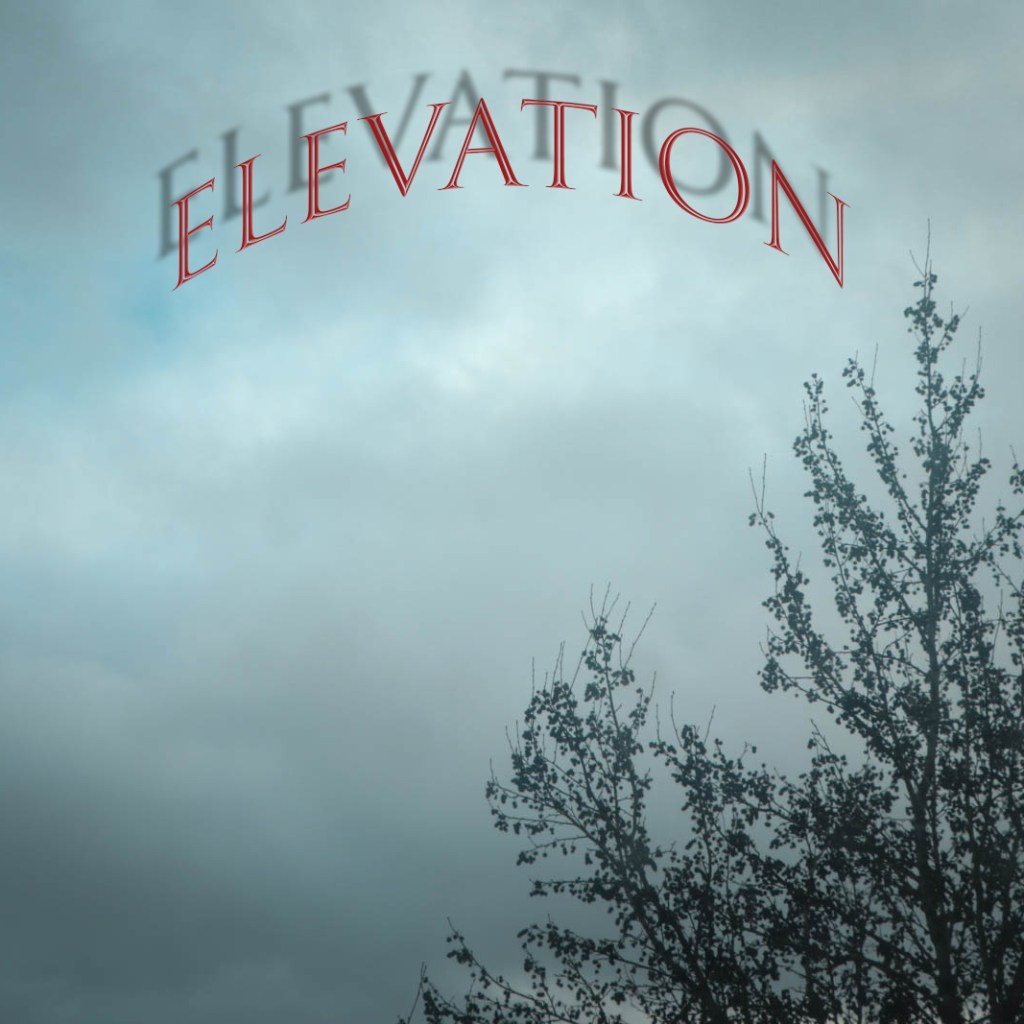
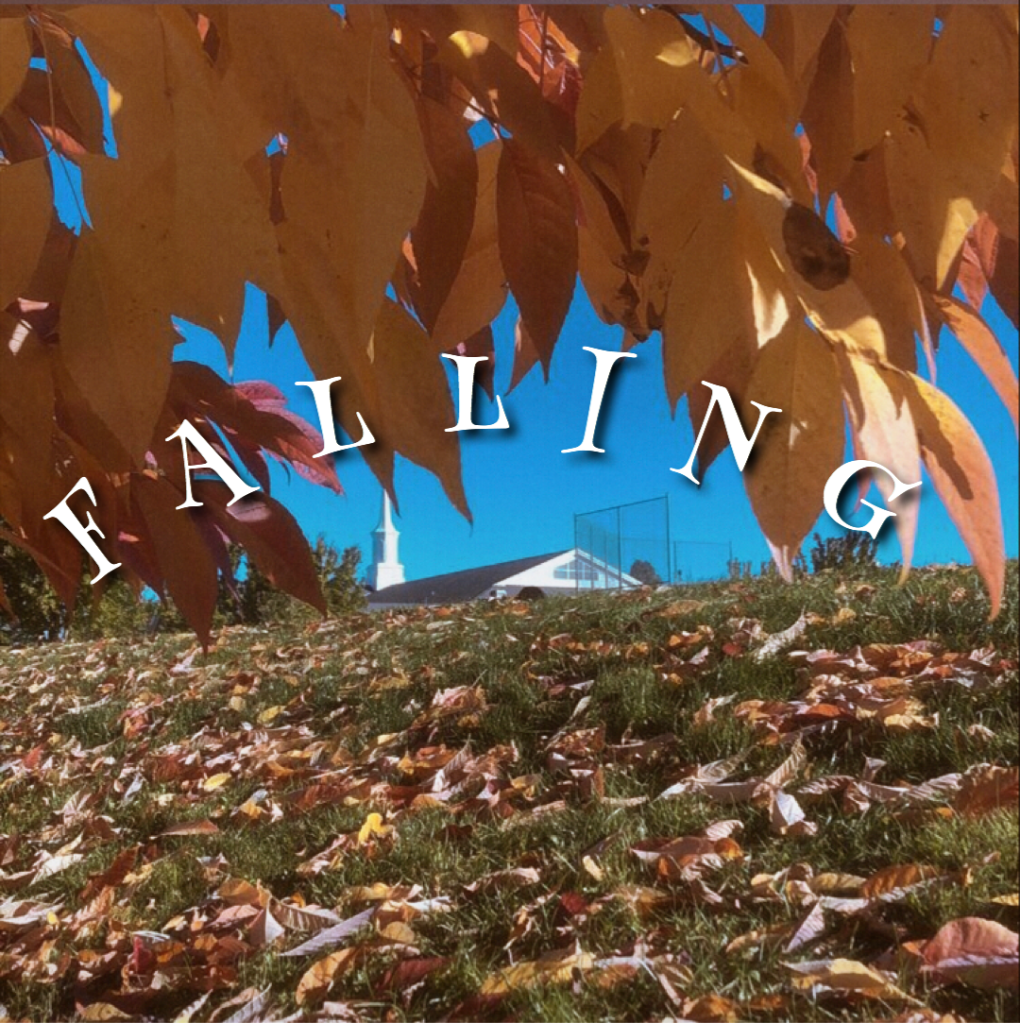
Look at the photos above. These were turned in earlier this week. Choose one to write about. Save it to your visual journal.

Answer the following questions. Use the answers to make your own CD Album Cover 2nd image even better.

What worked well in this photo?

How well does the font reflect the content of image? Does it match the mood?

Is the image a square?

What kind of music do you think this album contains?

How could the photographer improve on this image?

Post these answers along with the photo you critiqued in your visual journal.
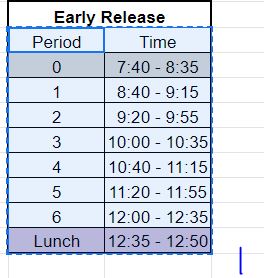
To Do List for 3/4

Learning objectives:

  • I can turn in my first CD album Cover with Text.
  • I can sketch out my idea for the 2nd CD album cover with Text.

Step by Step:

  1. Export your first photo as LastName_CDAlbum.jpg and turn it into Google Classroom.
  2. Make sure the size is 1600 x 1600 – Was due yesterday. Let’s get everyone to turn in their photo.
  3. You will turn in a all of your February Visual Journal Entries next week.
  4. Sketch out your idea for the 2nd Photo Challenge CD/Album Cover.
  5. DUE ON FRIDAY.

To Do List for 3/3

Closeup image of notepad with pen.

Learning objectives:

  • I know how to type on a path in Photoshop.
  • I can use the tools I used yesterday and today to make text for my CD Album Cover

Step by Step:

  1. Do Today’s Warm Up: How to Type on a Path
  2. You will turn in a all of your February Visual Journal Entries next week.
  3. Use this knowledge to add text and shapes to the two photos you will make for Photo Challenge CD/Album Cover.
  4. One photo is due TODAY, THE OTHER IS DUE ON FRIDAY.
  5. Export your first photo as LastName_CDAlbum.jpg and turn it into Google Classroom.
  6. Make sure the size is 1600 x 1600

To Do List for 3/2

Closeup image of notepad with pen.

Learning objectives:

  • I know how to make a drop shadow and outer glow in Photoshop.
  • I can use these tools to make text for my CD Album Cover

Step by Step:

  1. Do Today’s Warm Up: Blending Modes in Photoshop.
  2. You will turn in a all of your February Visual Journal Entries next week.
  3. Use this knowledge to add text and shapes to the two photos you will make for Photo Challenge CD/Album Cover.
  4. One photo is due Tomorrow, one is due on Friday.

Today’s Warm Up: Blending Options in Photoshop

For today’s warm up, the video above will cover blending options. Mainly drop shadow.

After viewing the video, try to create some text and add a drop shadow to that text in Phosohop. Post your results to your visual journal. Then answer the questions below.

The video mainly covers Blending Options & Drop Shadow. What are other effects you can make in the Blending Options window?

How can you see using this for your CD Album Cover assignment?

Post answers, the tutorial and the image you make to your visual journal.

Today’s Warm Up: Adding Text and a Shape on a Type Layer

https://helpx.adobe.com/photoshop/how-to/adding-text-shapes-basics.html

https://fonts.adobe.com

Click on the link above and we will watch the video above. Then go to the fonts.adobe.com link and choose a font that you think would best fit your CD/Album Cover.

Try it out on a photo you have recently taken.

Answer these questions in your Visual Journal.

What font do you see yourself using for your CD Album Cover ?

What color text would best work for your CD Album Cover?

Do you think you will use Horizontal or Vertical Text?

Today’s Warm Up: Choose Your Own Tutorial: Creating an Album Cover in Photoshop

https://design.tutsplus.com/tutorials/how-to-make-an-album-cover-in-photoshop–cms-33313

Choose one of these tutorials. Post the one you used to your visual journal, and describe why you found the tutorial useful.

Post your favorite album cover you found online and tell me why you like it. What ideas do you get from it for your CD Album Cover project?

Design a site like this with WordPress.com
Get started