Quote of the Day

“It is only through art that we can escape from ourselves and know how another person sees a universe which is not the same as our own and whose landscapes would otherwise have remained as unknown as any there may be on the moon.”

Marcel Proust
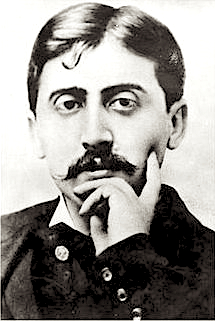
Marcel Proust, 1900.

What does this mean to you? How can photography act as a window into someone’s mind? Have you ever felt this way while looking at a a photograph? Explain your thinking.

After reading the quote above.answer the questions in your visual journal, Adobe Spark Page.
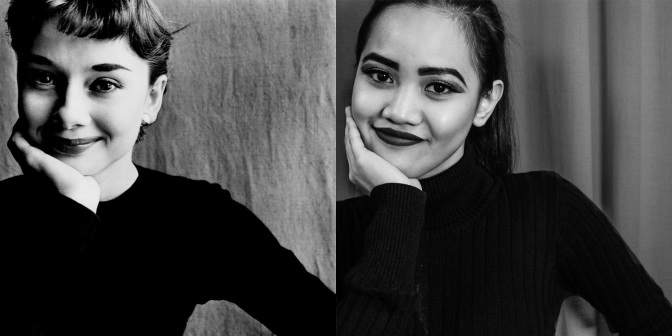
This Week’s Assignment: Famous Photographer Recreation

You will choose one of your photographers from your Photographer Presentation to copy in every way possible.

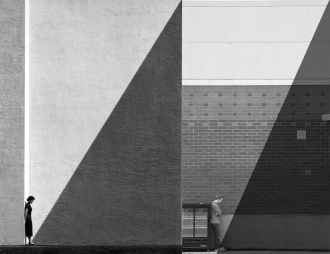
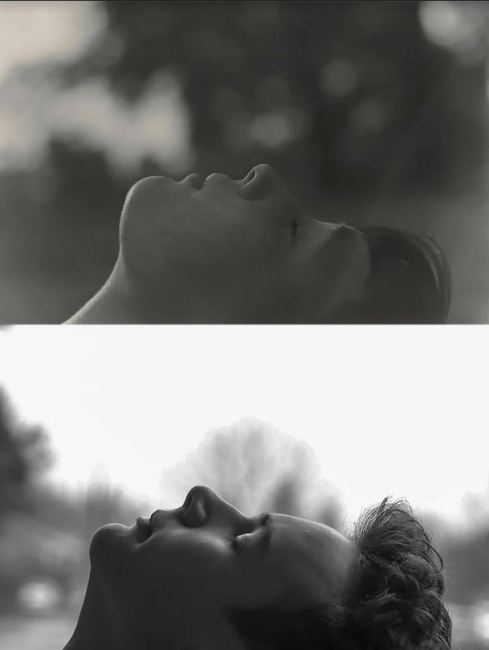
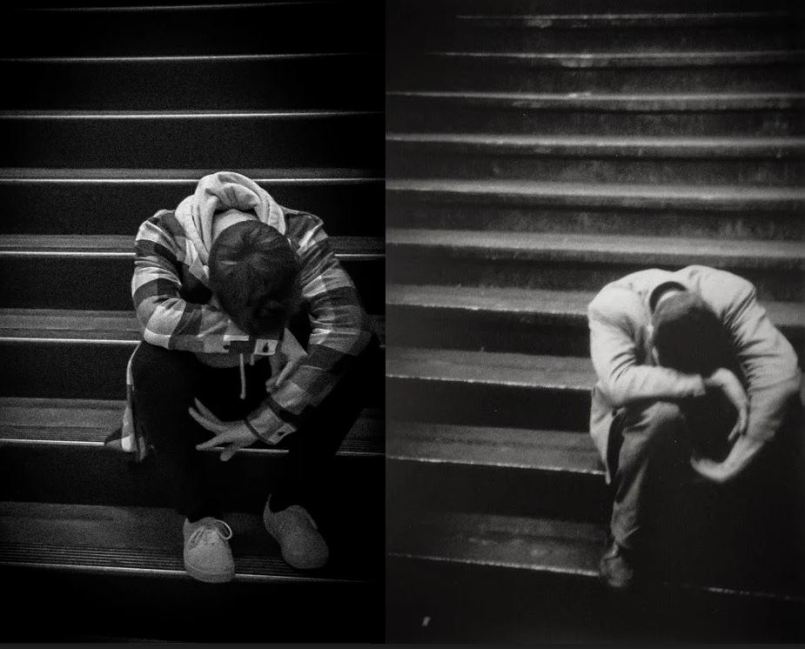
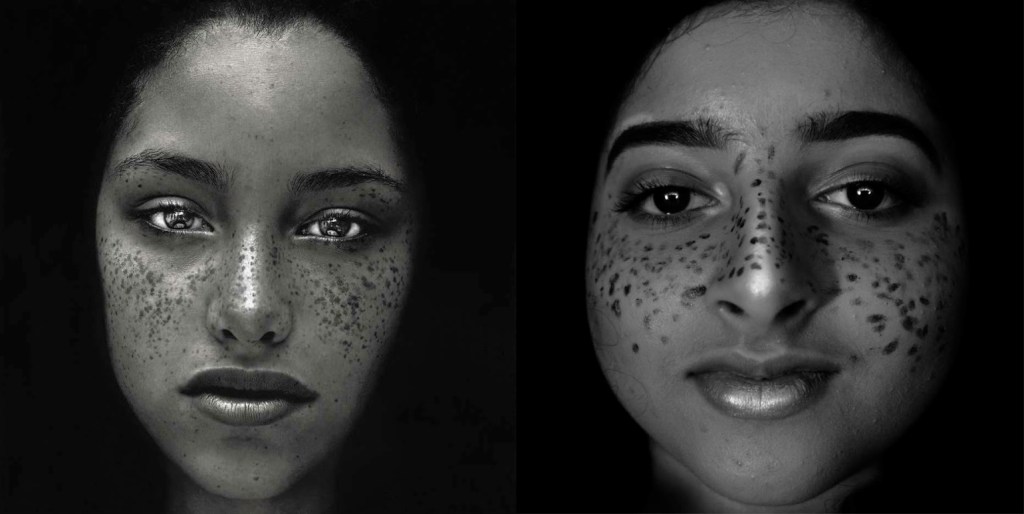
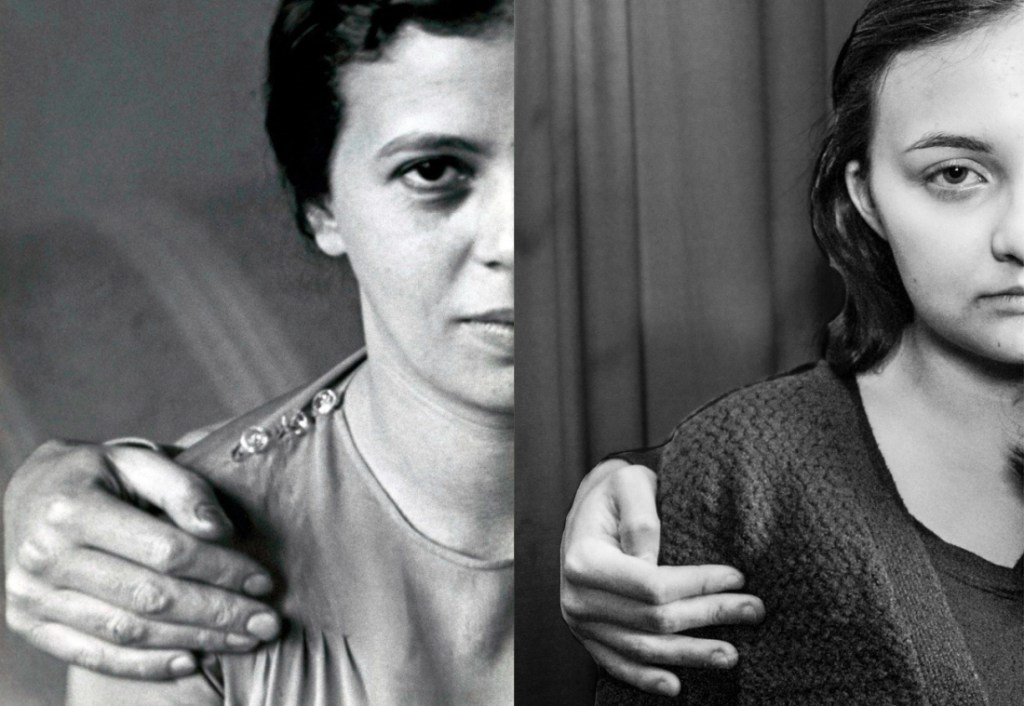
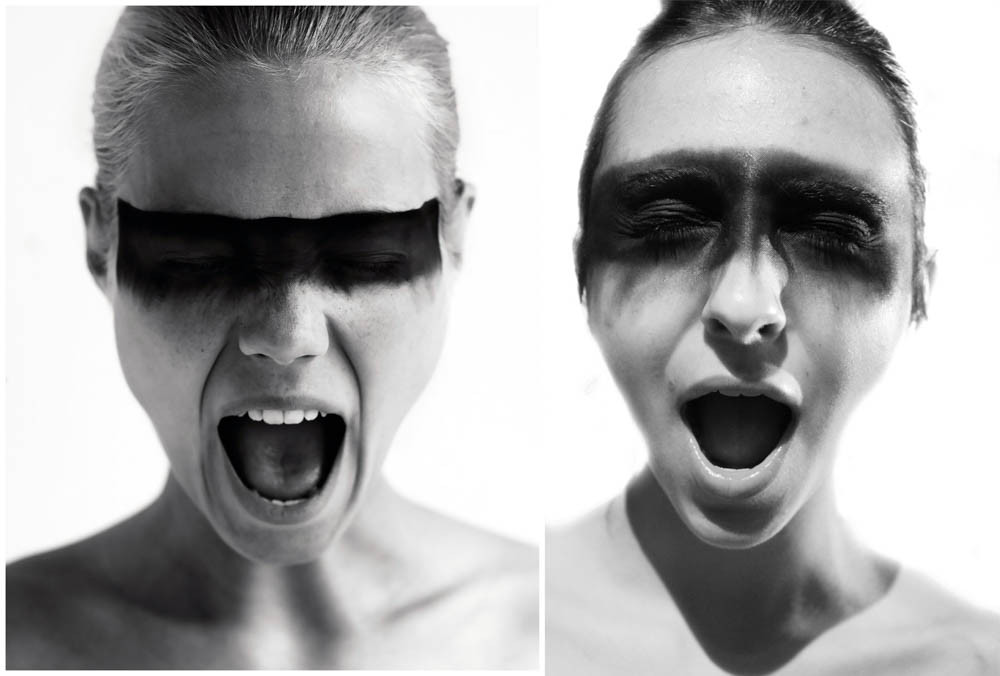
Your photo challenge PHOTOS will be on the right and the original photo will be on the left. More on how to do this later on. Above you’ll see the students before you who have already done this assignment. Notice how in many of the photos some things are different, but most of the image has the same subject.

The photo recreation is due on 11/20.

To Do List for 11/15

Learning Target:

  • I can finish researching the photographer I chose.
  • I can download images by them and import them into We Video.
  • I can record the script I wrote on a voice recording device
  • I can research the questions present on the assignment post.
  • I can Finish and Export my Vidoe and turn it into Google Classroom.

Steps:

Strong goes over your questions in WeVideo

  1. Continue your research for the Famous Photographer Audio Slidesow project.
  2. Here’s how to export your video From We Video and turn it into Google Classroom.
  3. Start work on the Famous Photographer Photo Recreation – Due on Monday.

Friday

Last day for on time turn in for Famous Photographer WeVideo Project.

To Do List for 11/13

Learning Target:

  • I can finish researching the photographer I chose.
  • I can download images by them and import them into We Video.
  • I can record the script I wrote on a voice recording device
  • I can research the questions present on the assignment post.
  • I can Finish and Export my Vidoe and turn it into Google Classroom.

Steps:

Strong goes over your questions in WeVideo

  1. Continue your research for the Famous Photographer Audio Slidesow project.
  2. Answer the questions I ask in my Famous Photographer post. Start writing out the answers in a Google Doc. Write it like you would a script for a video, or a TV show.
  3. Record your answers as a script using your phone.
  4. Transfer the file from your phone to Google Drive.
  5. Download from Google Drive and import it into WeVideo.
  6. 6.Download photos made by your photographer and bring them into WeVideo.
  7. Here’s how to export your video From We Video and turn it into Google Classroom.

Thursday

Keep working on your Famous Photographer Project until you finish it.

Exporting Your Completed We Video Presentation

Step 1: Complete all edits and transitions in your WeVideo project.

Step 2: Click the Finish button in the upper right hand corner.

Step 3: Enter in the final Title. Give it a name that describes the work of your photographer.

Step 4: Choose the HD Resolution from the Resolution Drop down menu.

Step 5: Under Destination, Click on the Triangular Google Drive Icon.

Step 6: Click on the Lock and make sure that the video is public. This will make the video visible, so I can watch and grade it.

Step 7: Press Export.

Step 8: Copy the link the screen gives you when the Video is done exporting and turn in that link into the assignment link in Google Classroom.

To Do List for 11/12

Learning Target:

  • I can finish researching the photographer I chose.
  • I can download images by them and import them into We Video.
  • I can record the script I wrote on a voice recording device
  • I can research the questions present on the assignment post.

Steps:

Strong goes over your questions in WeVideo

  1. Continue your research for the Famous Photographer Audio Slidesow project.
  2. Answer the questions I ask in my Famous Photographer post. Start writing out the answers in a Google Doc. Write it like you would a script for a video, or a TV show.
  3. Record your answers as a script using your phone.
  4. Transfer the file from your phone to Google Drive.
  5. Download from Google Drive and import it into WeVideo.
  6. 6.Download photos made by your photographer and bring them into WeVideo.

Tuesday

Finalize your WeVideo Project and prepare to turn it in tomorrow, Wednesday. 11/12,

To Do List for 11/8

Learning Target:

  • I can start researching the photographer I chose.
  • I can download images by them and import them into We Video.
  • I can research the questions present on the assignment post.

Steps:

Strong goes over your questions in WeVideo

  1. Continue your research for the Famous Photographer Audio Slidesow project.
  2. Answer the questions I ask in my Famous Photographer post. Start writing out the answers in a Google Doc. Write it like you would a script for a video, or a TV show.
  3. Record your answers as a script using your phone.
  4. Transfer the file from your phone to Google Drive.
  5. Download from Google Drive and import it into WeVideo.
  6. 6.Download photos made by your photographer and bring them into WeVideo.

Tuesday

Finalize your WeVideo Project and prepare to turn it in by 11/12, Wednesday.

To Do List for 11/7

Learning Target:

  • I can start researching the photographer I chose.
  • I can download images by them and import them into We Video.
  • I can research the questions present on the assignment post.

Steps:

  1. Continue your research for the Famous Photographer Audio Slidesow project.

2. Download photos made by your photographer and bring them into WeVideo.

3. Answer the questions I ask in my Famous Photographer post. Start writing out the answers in a Google Doc. Write it like you would a script for a video, or a TV show.

Friday

Record the voiceover, bring it into WeVideo. Create animations and transitions.

To Do List for 11/6

Learning Target:

  • I can start researching the photographer I chose yesterday.
  • I can download images by them and import them into We Video.
  • I can research the questions present on the assignment post.

Steps:

  1. Start your research for the Famous Photographer Audio Slidesow project.

2. Download photos made by your photographer.

3. Answer the questions I ask in my Famous Photographer post. Start writing out the answers in a Google Doc. Write it like you would a script for a video, or a TV show.

Thursday

Import media into WeVideo, Start recording the voiceover.

To Do List for 11/5

Learning Target:

  • I know how to turn in my clone photo as a .jpg.
  • I can reflect on the final photo for my clone assignment.
  • I know which photographer I will be covering for the Famous Photographer Audio Slideshow and what type of photography they made/make.

Steps:

1.Strong goes over the requirements for the next assignment: Famous Photographer Audio Slidesow.

2. Export your clone photo. from Lightroom as a .jpg. Turn the .jpg into Google Classroom. Image is due today. Please, only turn in .jpgs

3 Complete the reflection for your Cloning image. Copy the two paragraphs on what you did well and what you could do to improve and upload the final clone photo to your Adobe Spark Visual Journal. Paragraphs, not sentences!

4. Choose a photographer from the list of famous photographers that you will do research on. Figure out what kind of photography they make/made.

5. Complete the exit ticket in Google Classroom. Begin researching if there’s time.

Tuesday

Research photographers for Famous Photographer Audio Slideshow:. Download images, begin writing paragraphs.

Design a site like this with WordPress.com
Get started